It’s Over: The Rise & Fall Of Google Authorship For Search Results
Anyone who follows Google knows that nothing it creates is immune from elimination. Like so many efforts before it, Authorship is fading into the sunset.

After three years the great Google Authorship experiment has come to an end … at least for now.
Today John Mueller of Google Webmaster Tools announced in a Google+ post that Google will stop showing authorship results in Google Search, and will no longer be tracking data from content using rel=author markup.
This in-depth article, which I’ve jointly co-written with Mark Traphagen, will cover the announcement of the end of Authorship, the history of Authorship, a study conducted by Stone Temple Consulting that confirms one of the stated reasons for cessation of the program, and some thoughts about the future of author authority in search.

Authorship’s Gradual Slide Toward Extinction
The cessation of the Authorship program comes after two major reductions of Authorship rich snippets over the past eight months. In December 2013 Google reduced the amount of author photo snippets shown per query, as Google’s webspam head Matt Cutts had promised would happen in his keynote at Pubcon that October. Starting in December, only some Authorship results were accompanied by an author photo, while all others had just a byline.
Then at the end of June 2014 Google removed all author photos from global search, leaving just bylines for any qualified authorship results.
At that time, John Mueller in a Google+ post stated that the photos were removed because Google was moving toward unifying the user experience between desktop and mobile search, and author photos did not work well with the limited screen space and bandwidth of mobile. He also remarked that Google was seeing no significant difference in “click behavior” between search pages with or without author photos.
A Brief History of Google Authorship
The roots of the Authorship project go back to Google’s Agent Rank patent of 2007. As explained by Bill Slawski, an expert on Google’s patents, the Agent Rank patent described a system for connecting multiple pieces of content with a digital signature representing one or more “agents” (authors).
Such identification could then be used to score the agent based on various trust and authority signals pointing at the agent’s content, and that score could be used to influence search rankings.
Agent Rank remained a theoretical idea without a practical means of application, until the adoption by Google of the schema.org standards for structured markup. In a blog post in June 2011, Google announced that it would begin to support authorship markup. The company encouraged webmasters to begin marking up content on their sites with the rel=”author” and rel=”me” tags, connecting each piece of content to an author profile.
The final puzzle piece for Authorship to be truly useful to Google fell into place with the unveiling of Google+ at the end of June 2011. Google+ profiles could now serve as Google’s universal identity platform for connecting authors with their content.

Hansson and Cutts
In a YouTube video published in August of that year, Matt Cutts and then head of the Authorship project Othar Hansson gave explicit instructions on how authors should connect their content with their Google+ profiles, noted that doing so could cause one’s profile photo to show in search results, and for the first time mentioned that — at some future time — data from Authorship could be used as a ranking factor.
Over the next three years, Authorship in search went through many changes that we won’t detail here (although Ann Smarty has compiled a complete history of those changes). On repeated occasions, though, Matt Cutts and other Google spokespeople reiterated a long-term commitment by Google to the concept of author authority.
Why Has Google Ended the Authorship Program?
Over its entire history Google has repeatedly demonstrated that nothing it creates is sacred or immortal. The list of Google products and services that were introduced only to be unceremoniously discontinued later would fill a small phone book.
The primary reason behind this shuffle of products is Google’s unswerving commitment to testing. Every product, and every change or innovation within each product, is constantly tested and evaluated. Anything that the data show as not meeting Google’s goals, not having sufficient user adoption, or not providing significant user value, will get the axe.
John Mueller told my co-author Mark that test data collected from three years of Google Authorship convinced Google that showing Authorship results in search was not returning enough value compared to the resources it took to process the data.
Mueller gave two specific areas in which the Authorship experiment fell short of expectations:
1. Low adoption rates by authors and webmasters. As our study data later in this article will confirm, participation in authorship markup was spotty at best, and almost non-existent in many verticals. Even when sites attempted to participate, they often did it incorrectly. In addition, most non-tech-savvy site owners or authors felt the markup and linking were too complex, and so were unlikely to try to implement it.
Because of these problems, beginning in early 2012, Google started attempting to auto-attribute authorship in some cases where there was no or improper markup, or no link from an author profile. In a November 2012 study of a Forbes list of 50 Most Influential Social Media Marketers, Mark found that only 30% used authorship markup on their own blogs, but of those without any markup, 34% were still getting an Authorship rich snippet in search. This is similar to data found in a study performed by Eric which is further detailed below.
However, Google’s attempts at auto-attribution of authors led to many well-publicized cases of mis-attribution, such as Truman Capote being shown as the author of a New York Times article 28 years after his death. Clearly, Google’s hopes of being able to identify the web’s authors, connect them with their content, and then evaluate their trust and authority levels as possible ranking factors was in trouble if it was going to depend on the cooperation of non-Google people.
2. Low value to searchers. In his announcement of the elimination of author photos from global search in late June of this year, John Mueller stated that Google was seeing little difference in “click behavior” on search result pages with Authorship snippets compared to those without. This came as a shock (accompanied in many cases with outright disbelief) to those who had always believed that author snippets brought higher click-through rates.
Mueller repeated in his conversation with Mark about today’s change that Google’s data showed users were not getting sufficient value from Authorship snippets. While he did not elaborate on what he meant by “value” we might speculate that this could mean that overall, in aggregate, user behavior on a search page did not seem to be affected by the presence of author snippets. Perhaps over time users had become used to seeing them and they lost their novelty.
It is interesting to note that (as of the time of this posting) author photos continue to appear for Google+ content from people a searcher has in his or her Google network (Google+ circles or Gmail contacts) when the searcher is logged in to her or his Google+ account (personalized search).
When asked, Mueller said he had no knowledge of any plans to stop showing those types of results. However, some users have reported to Mark that they are no longer seeing them. We will watch this development and update here if it looks like Google is indeed removing author photos from personalized results as well.
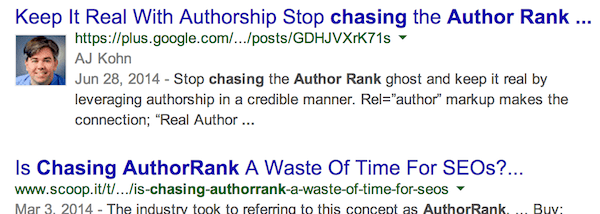
If Google does continue to show author photos in some personalized results, it would seem to indicate that Google data is showing that when content is from someone with whom the searcher has some personal association, a rich snippet actually does provide value to that searcher. More about this in our final section below.
Study of Rel=Author Implementations
As luck would have it, Stone Temple Consulting was in the process of wrapping up a study on rel=author markup usage. A look at the data illustrates part of the problem that Google faces with an initiative like this one. The bottom line of what we found? Adoption was weak, and accurate implementation among those that attempted to set up rel=author was also bad. If that was not enough, the adoption by authors was also bad. So let’s look at the numbers!
Authorship Adoption
We sampled 500 authors across 150 different major media web sites. Here is a summary of what we saw for their implementation of authorship tagging in their Google+ profiles:
| G+ profile implementation | Qty | % of Total |
|---|---|---|
| No Profile | 241 | 48% |
| Profile, but No Link to Publishing Site | 108 | 22% |
| Profile, with one or More Links to the Publishing Site | 151 | 30% |
A whopping 70% of authors made no attempt to connect their authorship with the content they were publishing on major web sites. Of course, this has much to do with how Google attempts to promote these types of initiatives. In short, they don’t. They rely on the organic spread of information throughout the Interweb ecosystem, which is uneven at best.
Publisher Adoption
50 of the 150 sites did not have any author pages at all, and more than 3/4 of these provided no more than the author’s name for attribution. For the remaining batch, some of them would allow authors to include links with their attribution at the bottom of the article, but the great majority of these authors did not take advantage of the opportunity.
For today’s post, we also took 20 of the sites that had author pages, and analyzed in detail their success in implementing authorship:
- 13 of the 20 sites attempted to implement authorship markup (65%)
- 10 of these 13 attempts had errors (77%)
- 12 of the 13 attempts received rich snippets in the Google SERPs (92%)
The implementation style for authorship was all over the map. We found malformed tags, authorship implemented on site, but no link to the author’s G+ profile, conflicting tags reporting multiple people as the author for a given article, and one situation where an article had 2 named authors, but only the 2nd named author linked to their G+ profile, and Google gave the 2nd author credit for that article.
- Seven of the 20 sites did not attempt to implement authorship markup (35%)
- Two of these seven received rich snippets in the Google SERPs (28%)
In the two cases where Google provided the rich snippets even though there was no markup, the authors did link to the site from the Contributor To section of their G+ profile.
Summarizing the Study
In short, proper adoption of rel=author markup was extremely low. Google clearly went to extreme efforts to try and make the connection between author and publisher, even in the face of many challenges. From a broader perspective, this tells us quite a bit about the difficulties of obtaining data from publishers. It’s hard, and the quality of the information you will get is quite low.
Summary
Google has stated many times over the past three years its interest in understanding author authority. It’s hard to forget executive chairman Eric Schmidt’s powerful statements on the topic:
[blockquote cite=”Eric Schmidt in The New Digital Age”]Within search results, information tied to verified online profiles will be ranked higher than content without such verification, which will result in most users naturally clicking on the top (verified) results. The true cost of remaining anonymous, then, might be irrelevance.[/blockquote]
However, this has proved to be a very tough problem to solve. The desire to get at this data is there, but the current approach simply did not work. As we noted above, this is one of the two big reasons why this initiative is being abandoned.
The other problem identified by John Mueller is equally important. The approach of including some form of rich snippet, be it a photo, or a simple byline, was not providing value to end users in the SERPs. Google is always relentlessly testing search quality, and there are no sacred cows. If Google is not seeing end users valuing something they try out, it will go.
We also can’t ignore the impact of the processing power used for this effort. We all like to think that Google has infinite processing power. It doesn’t. If it did have such power, it would use optical character recognition to read text in images, image processing techniques to recognize pictures, speech to text technology to transcribe every video it encounters online, and it would crawl every page on the web every day, and so forth. But it doesn’t.
What this tells us is that Google has to make conscious decisions on how it spends its processing power — it must be budgeted wisely. As of this moment, the Authorship initiative as we have known it has not been deemed worthy of the budget it was consuming.
The rise of mobile may have played a role in this outcome as well. When John Mueller says staffers don’t see a significant difference in click behavior in the SERPs as a result of Authorship rich snippets, remember that about half of Google’s traffic comes from mobile devices now. Chewing up valuable screen real estate for this type of markup on a mobile device may simply be a bad idea.
So is authorship gone forever? Our guess is that it probably is not. The concept is a good one. We buy into the notion that some people are smarter about certain topics than others. The current attempts at figuring this out have failed, not the concept.
As Google moves forward in its commitment to semantic search, it has to develop ways to identify entities such as authors with a high degree of confidence apart from human actions such as markup. Recent announcements about Google’s Knowledge Vault project would seem to reinforce that Google is moving steadily in that direction. So this may be how it approaches detection.
If, and when, it makes use of such data, what will it look like? Don’t be surprised if the impact is too subtle to be easily noticed. We will probably not see author photos in the results ever again. Could we see some form of Author Rank? Possibly, but it may come in a highly personalized form or get blended in with many other factors that make its detection virtually impossible.
So goodbye for now, Authorship. You were a grand and glorious experiment, and we will miss you — but we look forward to something even better for Authorship in the future.
This article was co-authored by Eric Enge and Mark Traphagen.
Postscript: See our follow-up story, Google Authorship May Be Dead, But Author Rank Is Not.
Opinions expressed in this article are those of the guest author and not necessarily Search Engine Land. Staff authors are listed here.

Related stories
New on Search Engine Land
About the author
